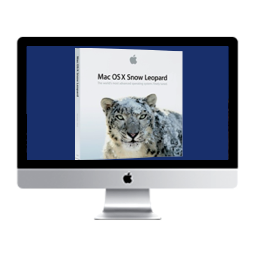
Recovery Partition


There is a New way to install 10.6x SL(SnowLeopard) on your iMac/MacBook/Mini,

by simply installing first on USB/Flash-drive.. then do a TimeMachine Backup..

Next make a New (HFS+ Journaled)partition on your HardDrive, then reboot...
to "Recovery Partition", to "INSTALL FROM BACKUP"..      

This has worked for me on my 2010 i3 iMac.. installed flawlessly.. Try it!   Purchase OS X 10.6.3 here

Return to Main Menu


( Finally, a few words about OS X Snow Leopard...)

Snow Leopard users have given many reasons for hanging on, including some identical to those
expressed by Windows XP customers: The OS still works fine for them; their Macs, while old,
show no sign of quitting; and they dislike the path that Apple's taken with OS X's user interface (UI).

Also in play is the fact that Snow Leopard was the last version of OS X able to run applications
designed for the PowerPC processor, the Apple/IBM/Motorola-crafted CPU used by Apple before it
switched to Intel in 2006. Snow Leopard, while requiring a Mac with an Intel processor, was the
latest edition able to run the Rosetta translation utility, and thus launch PowerPC software.

Additionally, Snow Leopard was the final version able to run on Macs equipped with 32-bit
Intel processors, making it impossible for owners of some older machines to upgrade beyond 10.6.
But there's New Hope for older Intel machines...Installing OS X Lion on older Intel Machine


  SL-10.6x Download center